> ## Documentation Index
> Fetch the complete documentation index at: https://docs.kelviq.com/llms.txt
> Use this file to discover all available pages before exploring further.
# Overview
> Connect your bank account and track cash flow
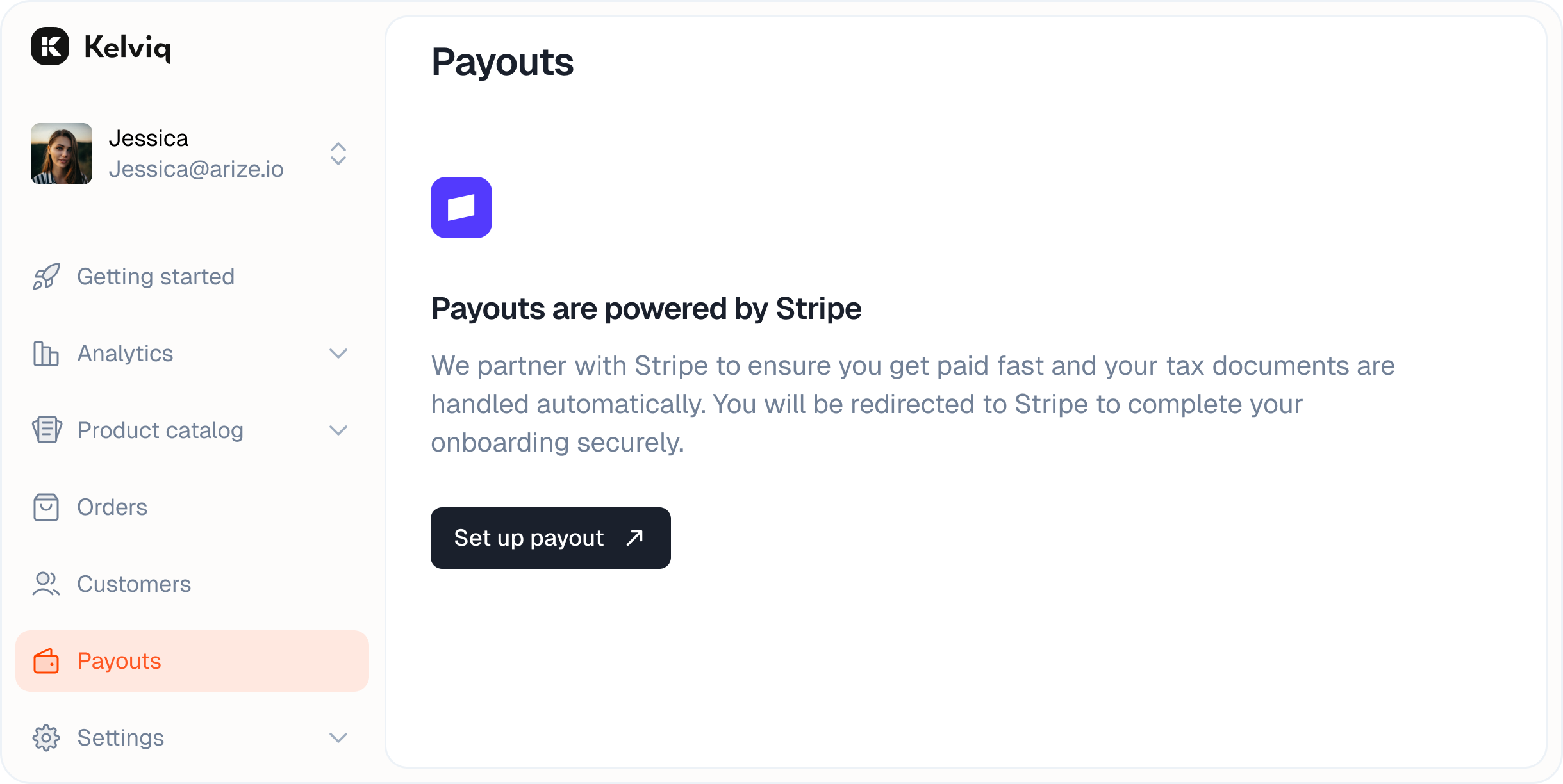
We use Stripe to ensure you get paid fast and your tax documents are handled automatically.
## Setup
Before you can receive funds, you need to connect a bank account.
Navigate to the **Payouts** group and click the **Set up payout** button.
You will be redirected to a secure Stripe form. Choose your account type (Individual or Company) and enter your banking details.
 ## Dashboard
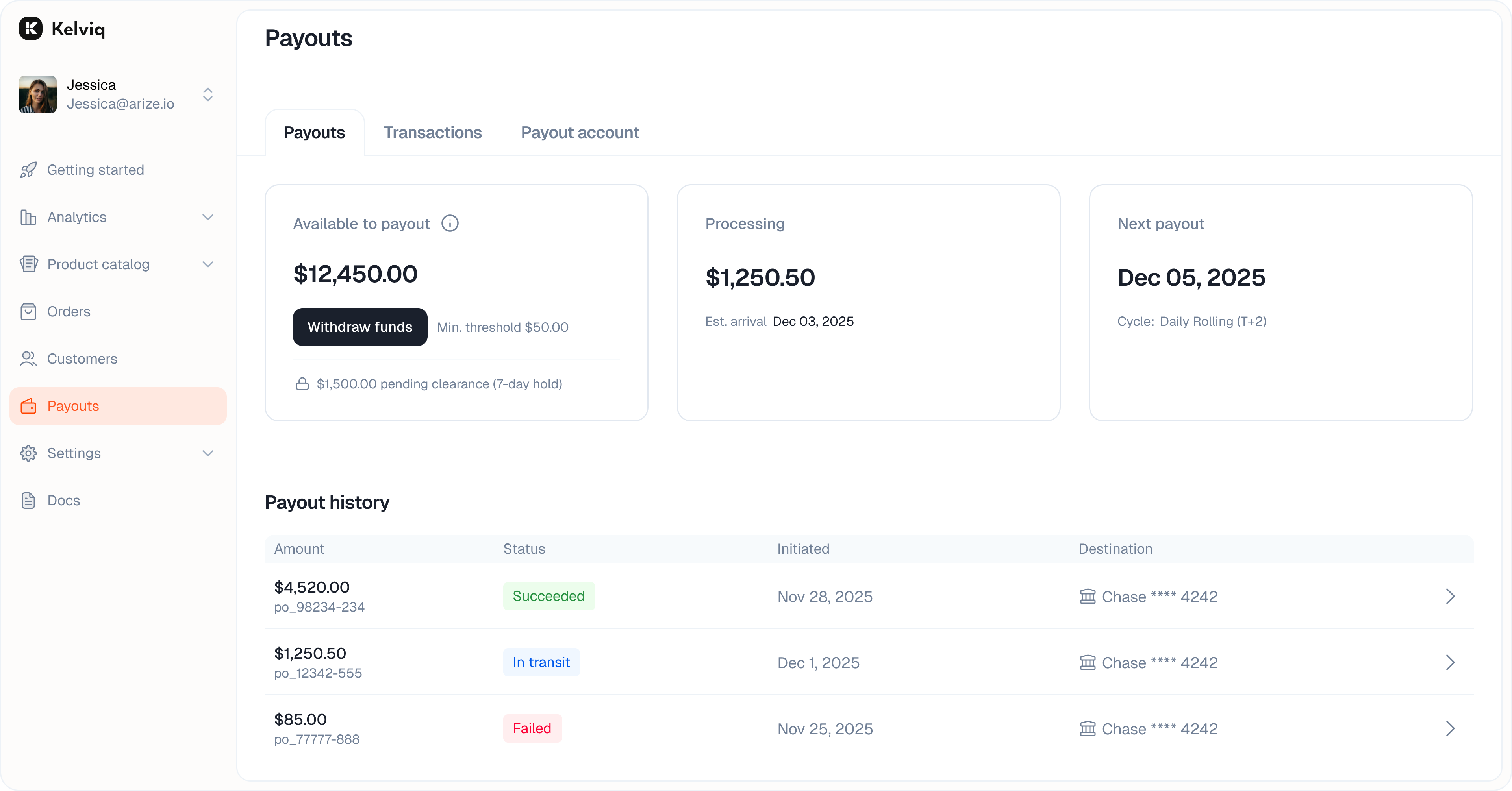
Once set up, the main Payouts view gives you a real-time snapshot of your cash flow.
## Dashboard
Once set up, the main Payouts view gives you a real-time snapshot of your cash flow.
 ### Key metrics
* **Available to payout**
The funds that have cleared and are ready to be transferred to your bank.
* **Processing amount**
Revenue that is currently being processed. You can see the estimated date for when these funds will become available.
* **Billing cycle**
Shows your current schedule. If funds are available, you can click **Withdraw funds** to initiate a manual transfer immediately.
### Payout history
Below the metrics, you will see a list of every payout we have sent to your bank.
* Check the status of past transfers.
* See the exact date the funds landed.
* View the destination bank account for each transfer.
## Payout questions
### Can I receive payouts if Stripe does not offer standalone accounts in my country?
Kelviq payouts use Stripe Connect, which is separate from opening your own standalone Stripe merchant account. You may still be eligible for Kelviq payouts even if standalone Stripe accounts are not offered in your country.
Your country must appear in Kelviq's payout onboarding flow, and you must complete Stripe Connect's identity and bank-account checks. See the [supported payout countries](/getstarted/review-process#supported-payout-countries) before setting up live payments.
### How long does a payout take?
Sales funds usually become available for payout after seven days. After Kelviq sends the payout, allow another few business days for your bank to post it. Bank holidays, compliance reviews, reserves, and the receiving bank can extend this timing.
### What is the minimum payout?
The minimum payout amount is \$10, or the equivalent amount in the payout currency.
### Are there payout fees?
No. Currently, Kelviq is bearing the payout fee. You will not be charged any additional fees when your cleared Kelviq balance is sent to your bank account or eligible debit card.
[See the full transaction and payout fee schedule →](/getstarted/fees#payout-fees)
### Do I need a registered company?
No. You can complete payout onboarding as an individual. If you are a sole proprietor and do not have a separate registered company, select **Individual** and provide your own legal and tax details.
### Can I receive a payout in another currency?
Yes. For example, a seller in Canada can receive a payout in USD when the connected bank account accepts USD and that payout currency is available through Stripe Connect. The payout currency follows the connected bank account. If conversion is required, Stripe applies its exchange rate and any conversion fees.
### Key metrics
* **Available to payout**
The funds that have cleared and are ready to be transferred to your bank.
* **Processing amount**
Revenue that is currently being processed. You can see the estimated date for when these funds will become available.
* **Billing cycle**
Shows your current schedule. If funds are available, you can click **Withdraw funds** to initiate a manual transfer immediately.
### Payout history
Below the metrics, you will see a list of every payout we have sent to your bank.
* Check the status of past transfers.
* See the exact date the funds landed.
* View the destination bank account for each transfer.
## Payout questions
### Can I receive payouts if Stripe does not offer standalone accounts in my country?
Kelviq payouts use Stripe Connect, which is separate from opening your own standalone Stripe merchant account. You may still be eligible for Kelviq payouts even if standalone Stripe accounts are not offered in your country.
Your country must appear in Kelviq's payout onboarding flow, and you must complete Stripe Connect's identity and bank-account checks. See the [supported payout countries](/getstarted/review-process#supported-payout-countries) before setting up live payments.
### How long does a payout take?
Sales funds usually become available for payout after seven days. After Kelviq sends the payout, allow another few business days for your bank to post it. Bank holidays, compliance reviews, reserves, and the receiving bank can extend this timing.
### What is the minimum payout?
The minimum payout amount is \$10, or the equivalent amount in the payout currency.
### Are there payout fees?
No. Currently, Kelviq is bearing the payout fee. You will not be charged any additional fees when your cleared Kelviq balance is sent to your bank account or eligible debit card.
[See the full transaction and payout fee schedule →](/getstarted/fees#payout-fees)
### Do I need a registered company?
No. You can complete payout onboarding as an individual. If you are a sole proprietor and do not have a separate registered company, select **Individual** and provide your own legal and tax details.
### Can I receive a payout in another currency?
Yes. For example, a seller in Canada can receive a payout in USD when the connected bank account accepts USD and that payout currency is available through Stripe Connect. The payout currency follows the connected bank account. If conversion is required, Stripe applies its exchange rate and any conversion fees.