

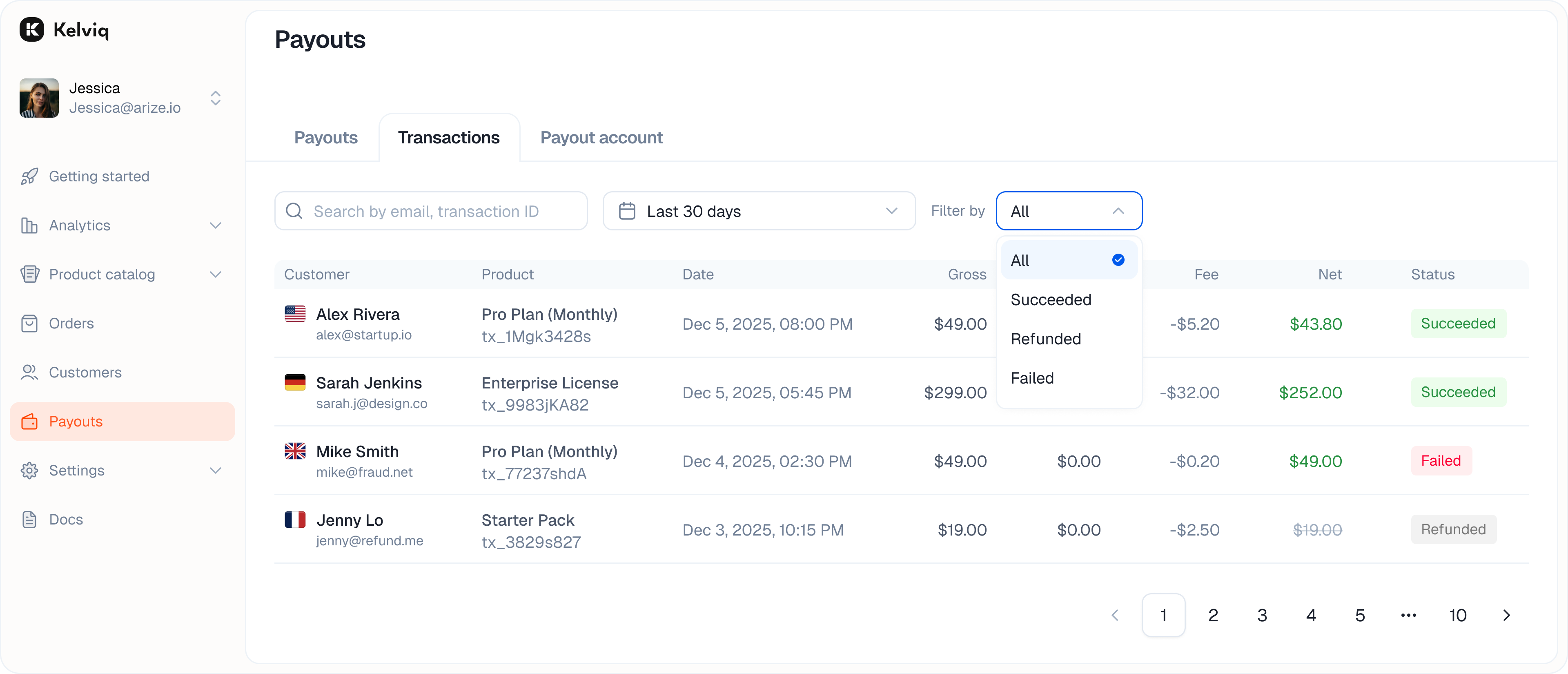
Filtering
You can filter the list to find specific issues.- Success: Completed payments.
- Refunded: Money returned to customers.
- Failed: Declined cards or failed transfers.
Transaction details
Click a transaction row to open its details.- Gross total: The full amount charged to the customer, including tax.
- Fee: The combined transaction fees deducted by Kelviq.
- Tax: Tax collected for the transaction and excluded from your net earnings.
- Net earnings: The amount added to your Kelviq balance after transaction fees and tax. A separate payout fee can apply when the balance is sent to your bank.
- Payment details: The card or method used.
How the Fee column is calculated
The Fee column shows one combined amount. Depending on the transaction, that amount can contain up to three components:
Recurring and international-card fees are added to the base rate when they apply. For example, an international subscription payment processed after the $5,000 threshold is charged 5.7% + $0.40: 3.5% base, 0.7% recurring, and 1.5% international.
Example from the transaction list
For a $57.60 domestic, one-time payment processed after the $5,000 threshold:Payout fees are not included in the Fee column for a customer transaction. They apply when funds are sent to your bank account. See Payout fees.